
Deadline Afterlife Processing confirmation lever Guide and Controls
The Deadline Afterlife Processing confirmation lever seals your afterlife judgment when you set the verdict and hold the interaction input. Recent demo patches simplified this mechanic to holding right-click or RT instead of dragging your mouse across the desk.
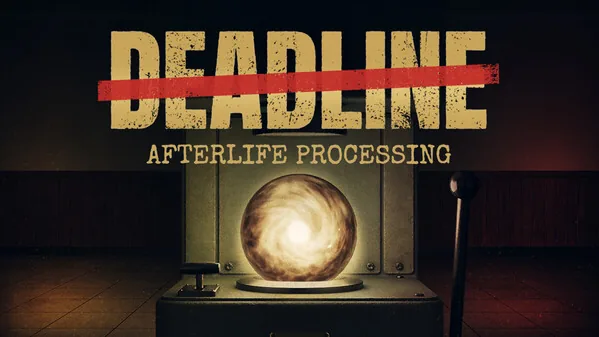
The Deadline Afterlife Processing confirmation lever seals your afterlife judgment when you set the verdict and hold the interaction input. Recent demo patches simplified this mechanic to holding right-click or RT instead of dragging your mouse across the desk.
How the Confirmation Lever Works
Station 9 requires operators to process incoming souls by placing each orb into the press. Once the amber terminal displays the three life fragments, you set the verdict lever to either Ascend (up) or Descend (down) to choose heaven or hell. Once your directional choice is locked, engaging the confirmation lever brings the red stamp down onto the soul.
Pulling this main lever is permanent. Facility directives note that dispositions are final and leave no room for takebacks once the seal marks the subject. After the lever completes its stroke, the stamped soul receives your operator number in red ink. You then lift the orb out of the press and carry it manually to either Disposition Hatch A (Ascend) or Disposition Hatch B (Descend).
Confirmation Lever Input and Patch Changes
During earlier versions of the Steam demo, pulling the lever required mimicking a physical downward dragging motion with the mouse. Players on the Steam community forums noted that low mouse sensitivity or high DPI requirements caused the handle to stall midway through the pull.
Developer MD Studio addressed this mechanism directly in the Steam Next Fest update:
- Mouse controls: Hold the right mouse button (RMB) while facing the lever rather than dragging the mouse downward off the desk. Some stations display an on-screen prompt reading hold rmb to pull directly beneath the press frame.
- Controller controls: Hold Right Trigger (RT) to cycle the lever through its full stroke.
- Legacy click interaction: Holding the primary action key or left mouse button completes the seal if key bindings remain on default settings.
Holding the input until the mechanical arm bottoms out prevents unstamped soul errors at the disposal chutes. Placing an unsealed orb down either disposition hatch voids your processing credit and lowers your accuracy rating in the morning audit drawer.
Lever and Press Upgrades
Manual processing drains shift time, especially when shift deadlines shrink to seven minutes. Operators can purchase mechanical adjustments through the requisition form at the reconciliation window after submitting their shift slips.
| Upgrade Option | When to Choose | Associated Cost |
|---|---|---|
| Stock Lever Arm | Initial shifts when saving currency for speed boots | Costs 0 wages |
| Free Sticky Mechanism | Processing stages where the verdict die resists quick alignment | Costs 15 wages from shift earnings |
| Commit Lever Counterweight | High-volume shifts where arm pull drag slows soul sealing | Costs 20 wages via requisition form |
Investing in the commit lever counterweight adds mass to the arm assembly, making each downward pull lighter on the operator and noticeably faster to reset. Combining these mechanical enhancements with the press upgrades listed in the catalog ensures you process every assigned subject before the shift bell rings.
Preventing Audit Penalties at the Press
Operating the lever too quickly can lead to failed judgments if the directive rules change mid-shift. The facility reviews every decision overnight, marking every contradiction in red and deducting penalties from your account.
Before pulling the confirmation handle, verify that the amber record matches current active board rules. The facility enforces strict priority: specific numbered directives supersede general rules, and lower directive numbers always prevail over higher ones. For complete operational procedures across Station 9, consult the beginner guide to keep your accuracy rating intact.
Related Guides
Press Guide
Understand how to operate the press mechanism, apply terminal directives accurately, and purchase station upgrades to handle soul quotas efficiently.
Soul Fragments
Read terminal text fragments accurately to weigh evidence, apply facility directives, and send deceased subjects to the correct afterlife disposition.