
Deadline Afterlife Processing Demo: Shift Walkthrough and Station Guide
The Deadline Afterlife Processing demo places deceased players at Station 9 to judge incoming souls across five distinct work shifts. Operators examine moral records on an amber terminal, apply strict facility directives, stamp verdicts, and purchase station upgrades using earned wage tickets.
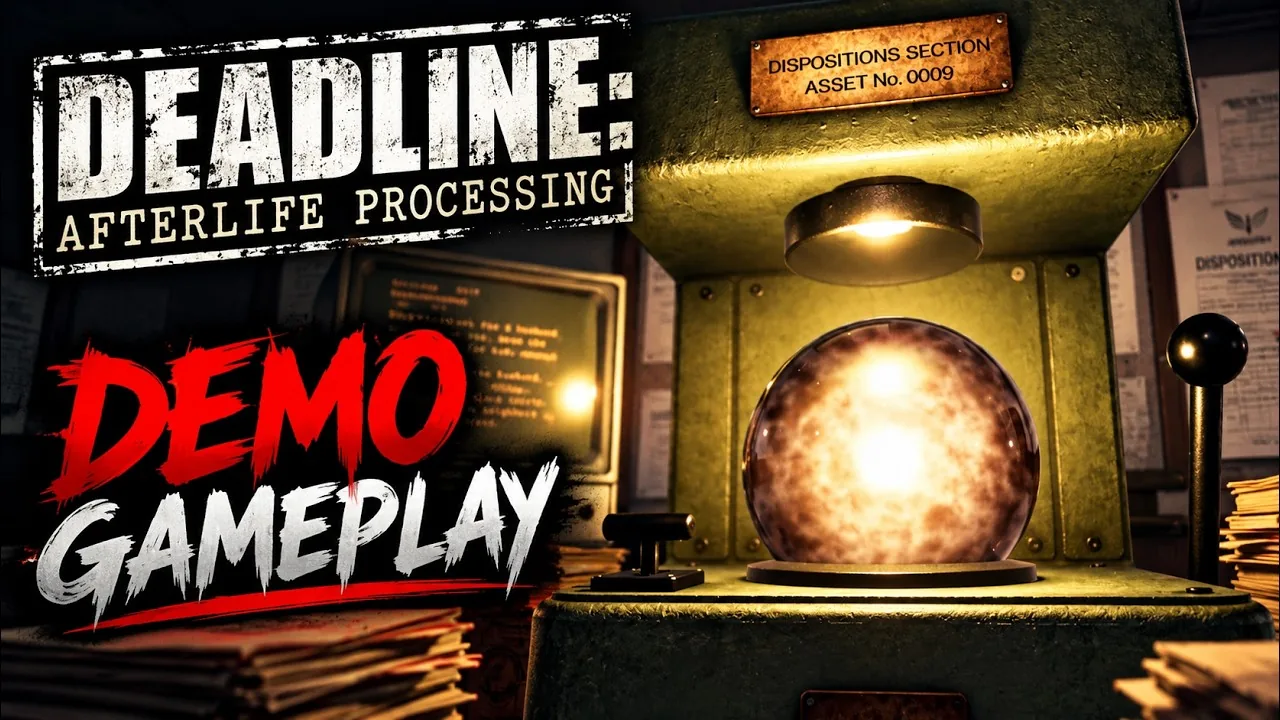
The Deadline Afterlife Processing demo places deceased players at Station 9 to judge incoming souls across five distinct work shifts. Operators examine moral records on an amber terminal, apply strict facility directives, stamp verdicts, and purchase station upgrades using earned wage tickets.
Station 9 Core Loop and Daily Operations
Every shift at Station 9 begins at the time recorder gadget. The operator pulls the handle to punch the time card, unlocks the office barrier, and moves to the processing line. Pulling the line lever feeds an incoming soul orb toward the desk. Each orb must be lifted manually and set into the press cradle.
Once seated, the terminal displays the subject's background. The record presents concise soul fragments summarizing pivotal choices from the subject's previous terrestrial life. The operator compares these details against the facility directive board posted on the back wall before deciding whether the person ascends or descends.
Pulling the verdict lever stamps the soul orb with a red numbered seal indicating the decision. The operator carries the stamped orb to the appropriate exit chute: Disposition A for ascending souls or Disposition B for descending souls. Each processed subject dispenses a paper receipt. After the shift concludes, the operator feeds these receipts into the wage machine one by one to print a wage claim ticket, then deposits that ticket at the recon window to collect wages and order workplace supplies.
Directives and Evaluation Criteria Across Five Shifts
The demo spans a five-shift probationary period totaling thirty individual soul evaluations. Shifts introduce stricter oversight, tighter timers, and expanded directives. Between shifts, the facility audit drawer reviews every ruling, marking deviations from company guidelines in red ink.
Shift 1 operates without a timer, introducing Directive D-02 and Directive D-04. Directive D-02 permits operators on probation to apply conscience when no clear rule exists. Directive D-04 mandates an automatic descent verdict for any subject responsible for the deliberate taking of an innocent life.
Shift 2 installs a ticking wall clock that limits shifts to roughly seven minutes. It adds Directive D-03, dictating that any subject whose death resulted directly from preserving another human life must ascend.
Shifts 3 and 4 add Directive D-11 and Directive D-07, creating complex moral choices that conflict with personal sentiment:
- Directive D-11 orders descent for any subject who committed theft, irrespective of monetary value, motive, restitution, or subsequent reparation.
- Directive D-07 orders descent for subjects whose false testimony or falsified evidence resulted in another person's loss of life or liberty, even if statements were obtained under duress.
Shift 5 presents five standard subjects before an anomalous event stops the clock. A sixth orb arrives with corrupted data, labeled Record 5099. The terminal reports insufficient data for classification. Instead of choosing an exit hatch, the operator stamps the unreadable sphere, loads it into an elevator down to Level R, and places this retained orb into aisle 8, cradle 302 within the darkened archive room.
Catalog Upgrades and Station Improvements
Wages earned at the end of each work cycle can be spent on station requisitions. Players submit the wage ticket at the recon counter, mark desired improvements on the paper order form, sign the document, and replace the pen. Approved tools arrive installed at the start of the next shift.
| Upgrade Item | Best Situation | Credit Cost and Requisition Note |
|---|---|---|
| Faster Terminal Processor | Operators needing quicker text generation on the amber screen | 10 to 15 credits; speeds up soul data readouts |
| Boots Upgrade | Operators struggling with the wall clock deadline | 10 to 40 credits; shortens walking transit times between stations |
| Rail Grease | Handling multi-soul deliveries during timed rounds | Variable credit cost; causes incoming spheres to roll down the intake line smoother |
| Commit Lever Counterweight | Speeding up physical stamping mechanics at the press | Variable credit cost; reduces the mechanical force needed to pull the verdict arm |
The requisition catalog also features cosmetic and workplace items reserved for full employment, including office coffee machines, desk plants, and personal supplies.
Demo Performance and System Requirements
Developed and published by MD Studio, the title is an indie administrative simulator slated for full launch in Q1 2027 on Windows PC. The Steam Next Fest demo build added complete controller mapping, frame rate caps, direct click interactions for room doors, and hold controls for the verdict lever. Players troubleshooting stuttering or display lag can adjust graphics quality presets and toggle motion blur in the options menu.
The official Steam store page lists the following technical specifications:
- Minimum OS: Windows 10 64-bit
- Minimum Processor: Intel Core i5-4460 or AMD equivalent
- Minimum Memory: 8 GB RAM
- Minimum Graphics: NVIDIA GeForce GTX 960 or AMD Radeon R9 280 (2 GB VRAM)
- DirectX: Version 12
- Recommended Processor: Intel Core i5-8400 or AMD Ryzen 5 2600
- Recommended Memory: 16 GB RAM
- Recommended Graphics: NVIDIA GeForce GTX 1070, RTX 2060, or AMD Radeon RX 5700 (6 GB VRAM)
- Storage: 4 GB available space, with an SSD recommended